
HomeBranch book clubs
A good book.
Better together.
Give your online book club a home alongside your ebook library. Choose your next read, set a comfortable pace, and make room for thoughtful conversation.
HomeBranch combines club reading plans, member milestone progress, and spoiler-aware discussions on your own instance.
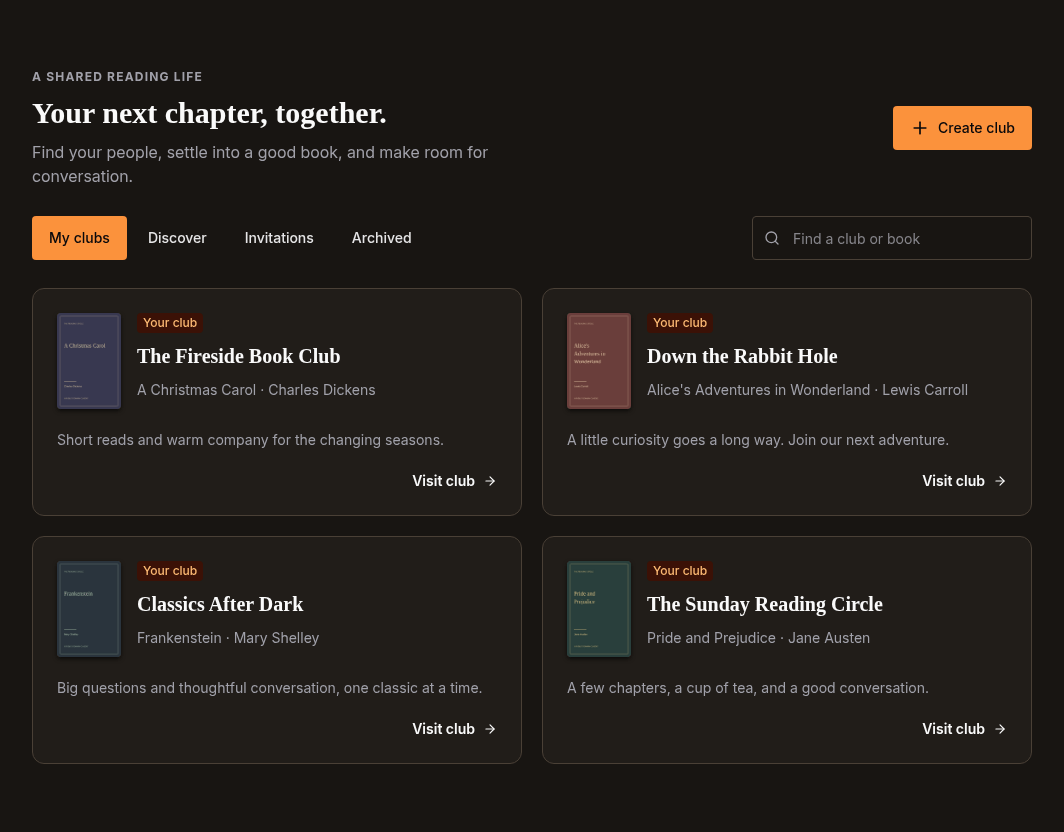
A place for your group
The book, the people, the next chapter.
Bring your selected book, reading copy, members, and recent conversations into one club home. Start an open club for readers on your instance, or keep it private and invitation-only.
Everyone uses an account on the same HomeBranch instance. Club invitations do not connect separate servers.
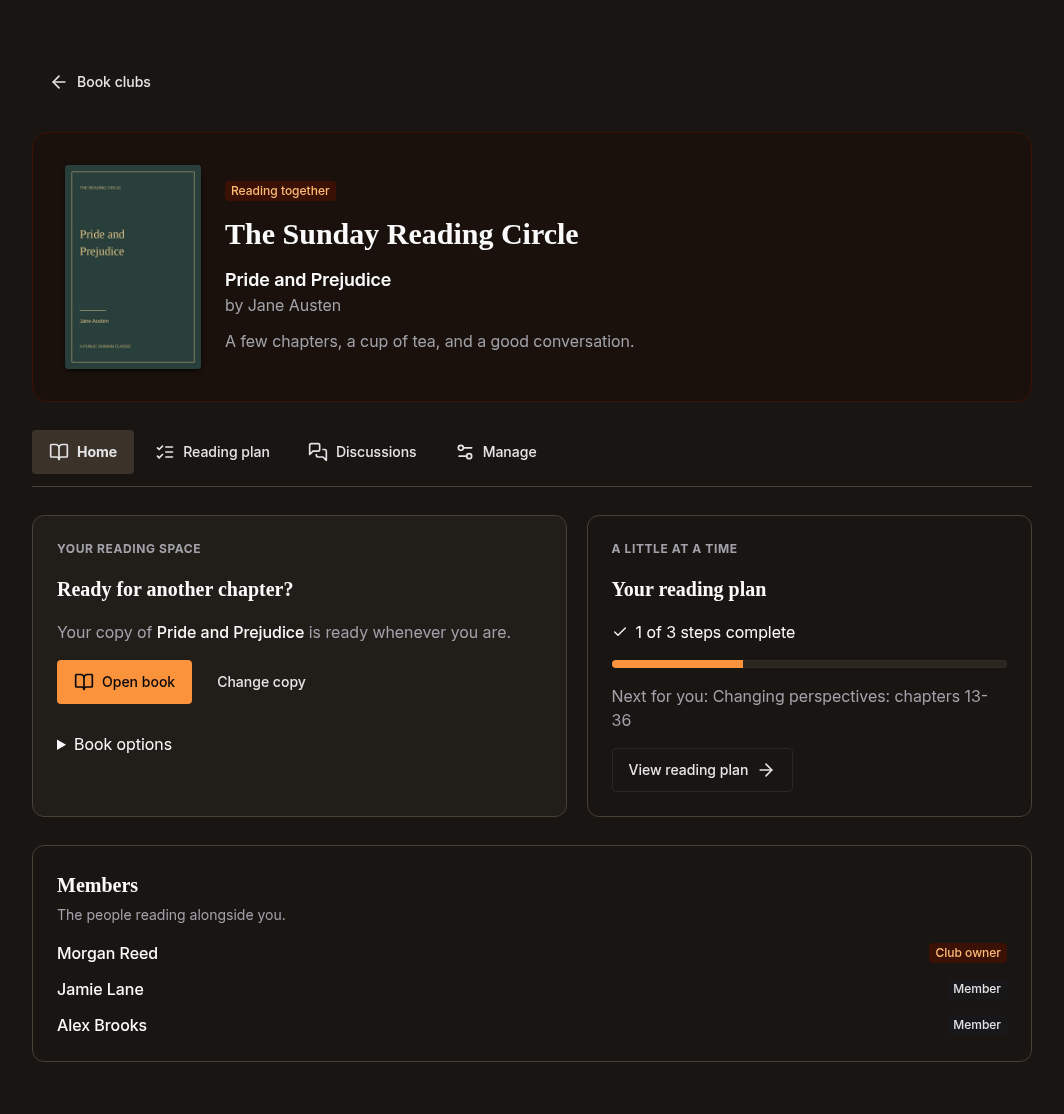
A pace you can share
Reading plans that work across editions.
Organize your read into chapters, parts, or named checkpoints. Members choose their own accessible reading copy, mark milestones, and see how the group is getting along.
All current members can see club milestone progress. Personal edition labels and exact reader positions stay private, and club steps do not change your saved reading position.
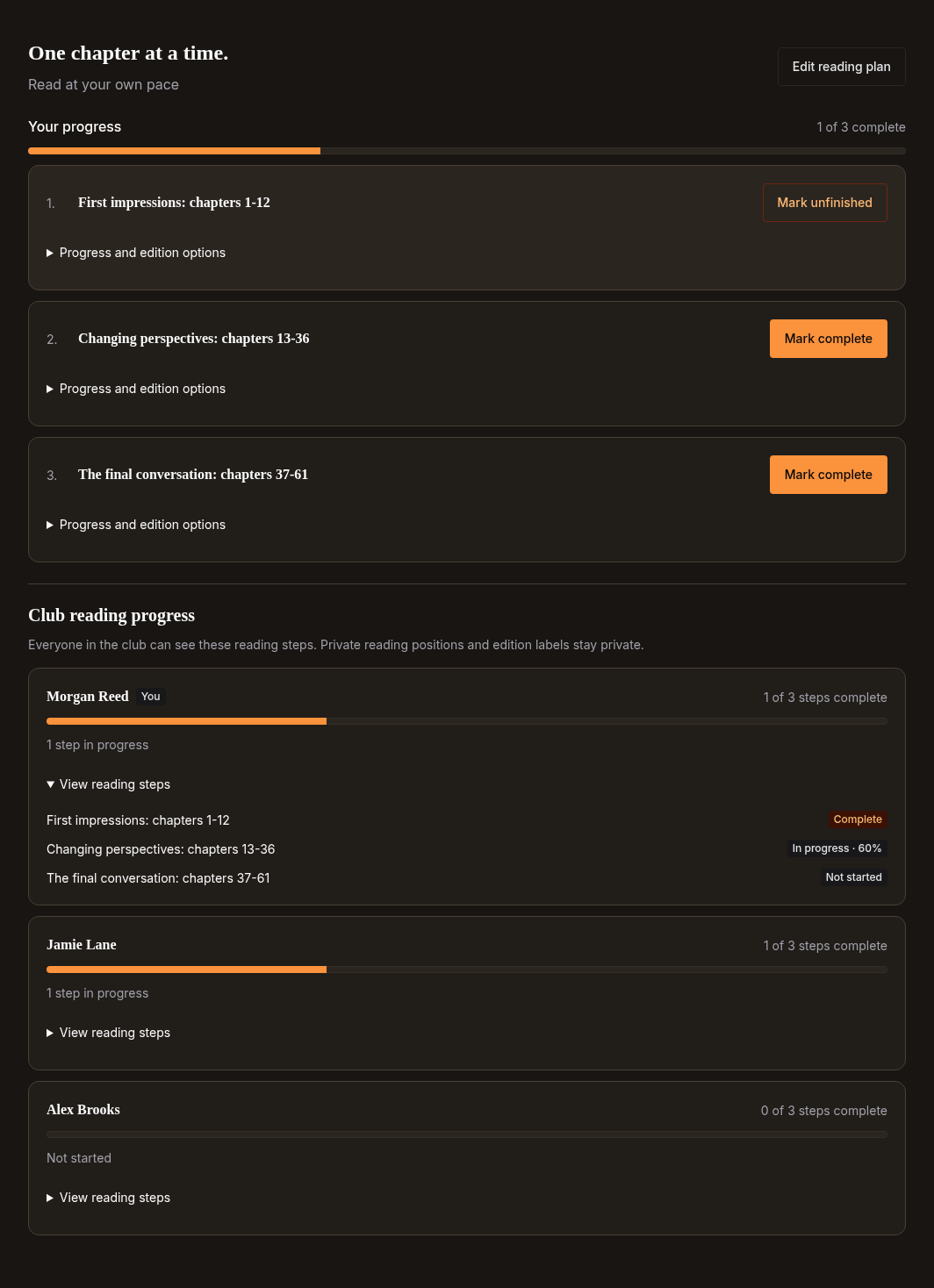
Room for conversation
Discuss the book, not the next spoiler.
Start a thread, reply to another reader, or use an organizer prompt to get everyone talking. Mark a post as a spoiler so each reader can choose whether to reveal that individual item.
Owners and moderators can pin prompts and moderate conversations. Spoiler controls are a reader choice, not an automatic filter based on reading position.
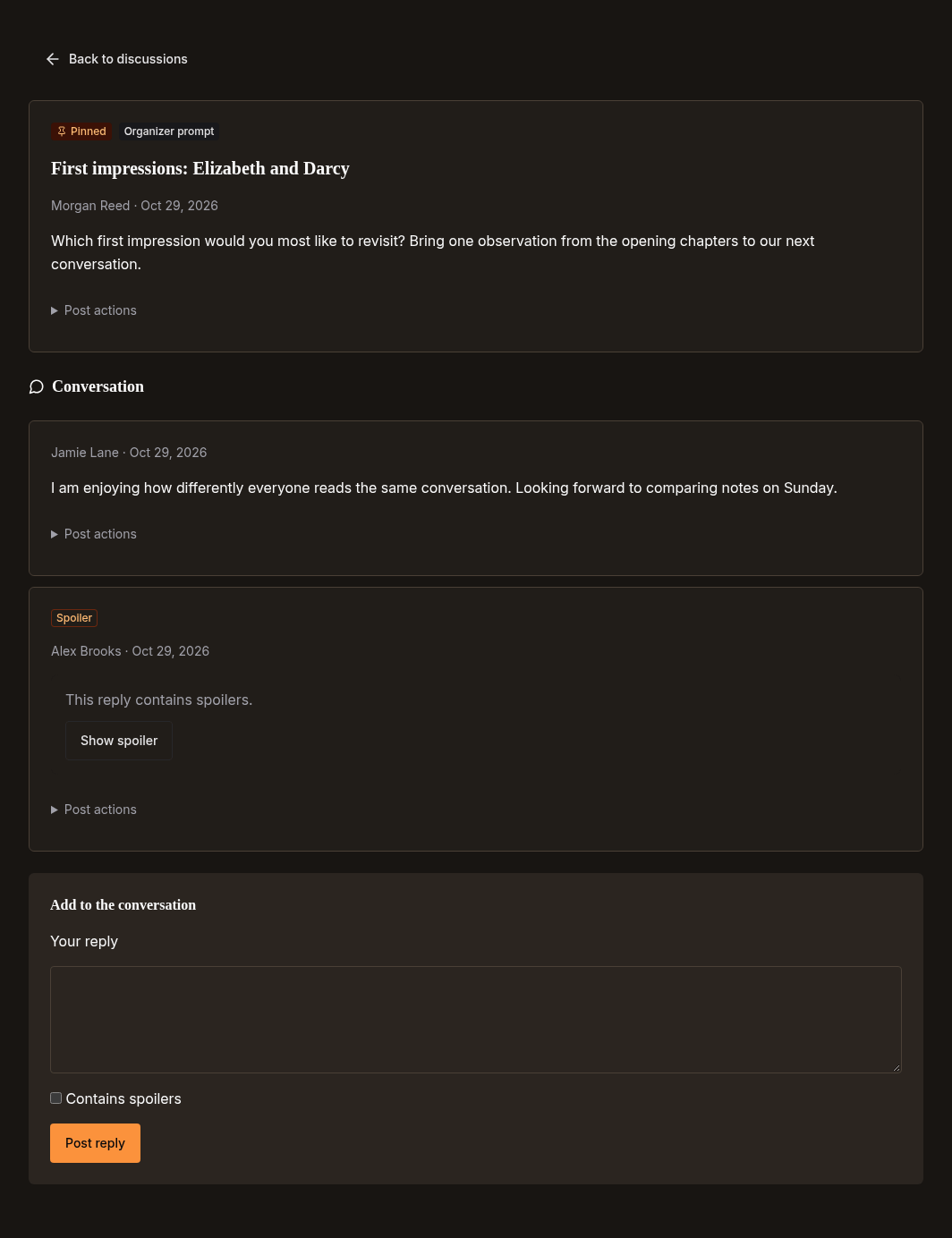
Together, with clear boundaries
A shared read is not a shared library.
Joining a club does not distribute books or grant access to another person's files. Each reader needs a copy they are authorized to access. On self-hosted instances, existing library permissions still apply; Cloud reading copies are limited to each reader's own books.
Club milestone progress is visible to current members. Private reader locations, edition labels, highlights, and notes are not exposed through club progress. These are instance-local clubs, not a public directory or a cross-server social network.
Screenshots show the real HomeBranch UI with fictional members, public-domain texts, and original typographic covers. Screenshot sources.
Make room for your next conversation.
Follow the setup guide, or explore HomeBranch hosting and self-hosting options.