
01
A library that stays organized
Bring your ebook collection together with searchable details, shelves, and favorites.
Your books, together in one place
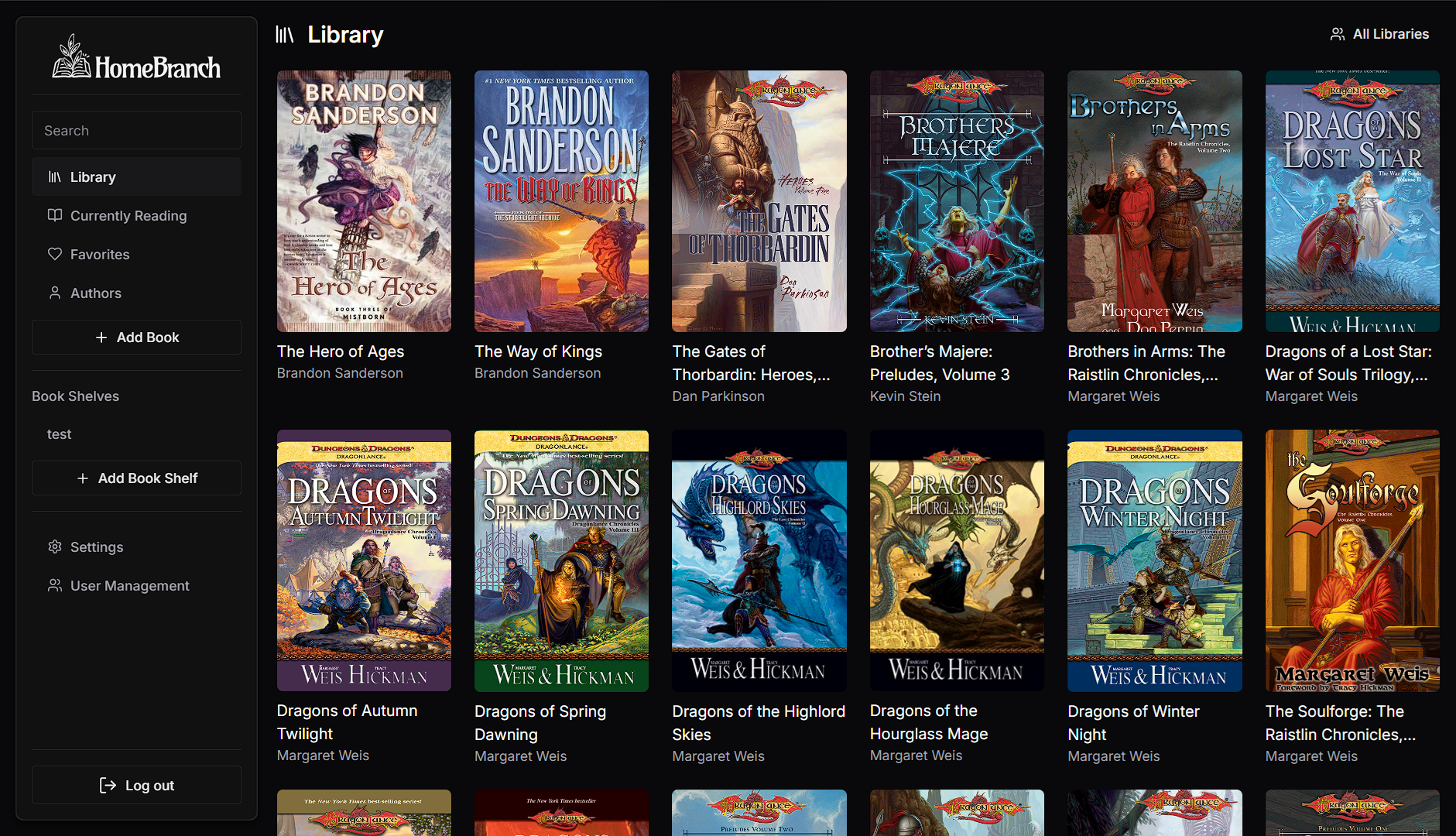
HomeBranch is an ebook library app for your digital books. Add titles, search your collection, organize books into shelves and favorites, and read in your browser with your place synced across devices.
Organize
Shelves & search
Read
Ebooks
Resume
Synced progress
Made for reading
HomeBranch turns a folder of ebooks into a library you can browse, search, and return to from wherever you read.
Find ebooks without hard DRM01
Bring your ebook collection together with searchable details, shelves, and favorites.
02
Read in the browser and keep your place in sync across your devices.
03
Read with a clean interface and choose the light or dark theme that feels right.
Where to find ebooks
These stores and publishers offer DRM-free books or use personal watermarks instead of app-locking DRM. Availability and terms vary by title, so check the listing before you buy. HomeBranch does not remove DRM or store restrictions.
DRM-free ebooks
Browse independently published ebooks from a store that describes its catalog as DRM-free.
Browse SmashwordsDRM-free selection
Shop Kobo’s DRM-free collection. Check the individual book listing for its DRM details.
Browse KoboDRM-free selection
Browse the DRM-free section and confirm the download and DRM information on each title.
Browse eBooks.comSocial DRM (watermarked)
Springer Nature says its ebooks use visible and invisible personal watermarks instead of hard DRM.
Browse Springer NatureHomeBranch reads supported ebook files that are not locked to a specific store app or account. Check download options and file compatibility before purchasing.
Guides
Your books, in one place
Bring your ebook collection to HomeBranch and keep your library organized and ready to read.